
LI KineticArcana - Ground FX
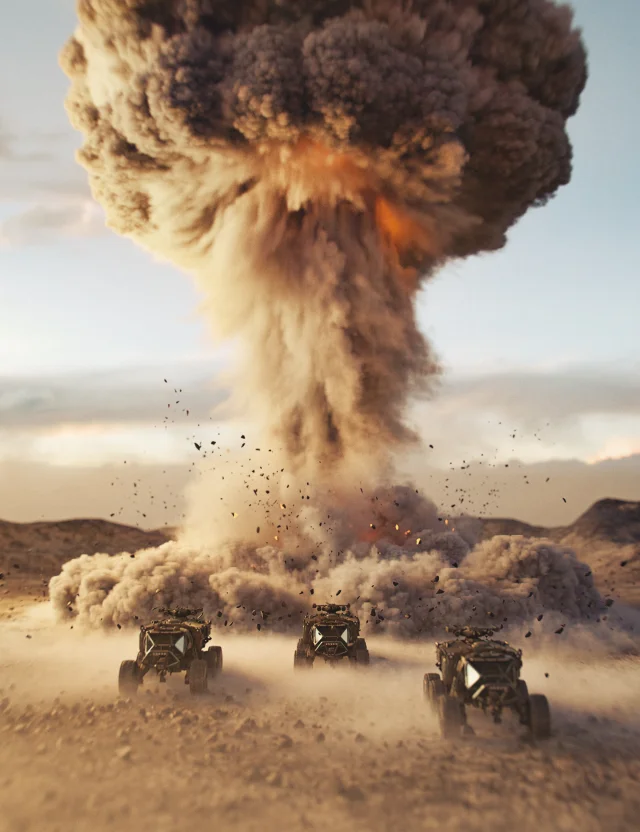
Introducing an amazing toolkit for managing and crafting captivating VDB ground effects, utilizing static smoke simulations, morphing containers, emitters, and props to replicate awe-inspiring particulate visual effects.
With this product, you'll unlock a level of control and customization within DAZ Studio. Empower your creative vision with an array of meticulously props and VDBs, designed to enhance your scenes and add a new level of dynamism to your renders.
This resource-conscious toolkit offers both creativity and efficiency, giving you the assets you need to add some very cool volumetrics.
What do you get...
2 x Base Control Gizmo's (full/semi)
4 x Basic shape containers with morphs. (contain by masking, unleashing, and controlling VDBs.)
9 x Detailed shape containers with UV's morphs. (contain by masking, create fuel emitters with tileable texture maps, or even make clouds.)
56 x VDBS ( Shaped - Static Simulation)
3 x VDBS ( Volume fill - Static Simulation)
8 x Unique Emitters with morphs.
8 x Ground Props (Crater, mound, ground, and rock debris) all have morphs except the ground.
Then, there's the material builder for the ground props, especially the Crater.
Plus, bucket loads of preset materials, presets to help guide and build your own smoke materials, and fuel and emitter shaders.
16 x Preset configurations. (an array of variations)
Give yourself the tools you need to create your own smoke or explosive effects right inside DAZ Studio.
LI KineticArcana - Ground FX is just the start.
Also, think outside the box, their designated properties can do much more... i.e. emitters can become volumes, and the ground prop textures can be mixed and mashed.
Home Page - https://www.daz3d.com/li-kineticarcana--ground-fx
Free Download Links:
Ctrl
Enter
Noticed a misTake
Highlight text and press Ctrl+EnterRelated news:

Advanced Post-Processing Techniques for Renders in DAZ Studio and Poser
Creating and Adjusting Lighting for Atmospheric 3D Scenes in DAZ Studio and Poser
Advanced Texturing Techniques in DAZ Studio and Poser
Using Iray and Firefly for Rendering in DAZ Studio and Poser
Working with 3D Scans in DAZ Studio and Poser: A Detailed Guide to Importing and Using Real-World Scans

How to create environments for 3D scenes in DAZ Studio and Poser: general guidelines
Comments (0)